Samsung’s next major software upgrade, One UI 8, is here — and it brings a ton of refinements, deeper AI integration, and better multitasking tools. While the update isn’t widely available yet, the Galaxy Z Fold 7 and Flip 7 debuted with One UI 8 out of the box earlier this month, marking the beginning of the Android 16-based rollout. If you’re wondering when your Galaxy device will get it or what’s new this year, here’s a full breakdown.
One UI 8 rollout timeline
Samsung launched One UI 8 alongside the Galaxy Z Fold 7 and Z Flip 7 in early July 2025. These two foldables are the first to ship with the new software pre-installed.
As for other devices, Samsung hasn’t shared an official rollout timeline yet. However, the Galaxy S25 series is already part of the One UI 8 beta program, with four beta updates released so far. The stable rollout is expected to begin in the coming weeks, likely starting with the Galaxy S25 lineup.
Which devices are eligible for One UI 8 update?
Samsung plans to bring One UI 8 to a wide range of devices. Here’s a list of models that will receive the update:
Galaxy S series
- Galaxy S25, S25+, S25 Ultra, S25 Edge
- Galaxy S24, S24+, S24 Ultra, S24 FE
- Galaxy S23, S23+, S23 Ultra, S23 FE
- Galaxy S22, S22+, S22 Ultra
- Galaxy S21 FE
Galaxy Z series
- Galaxy Z Fold SE
- Galaxy Z Fold 6, Z Flip 6
- Galaxy Z Fold 5, Z Flip 5
- Galaxy Z Fold 4, Z Flip 4
Galaxy A series
- Galaxy A73
- Galaxy A56, A55, A54, A53
- Galaxy A36, A35, A34, A33
- Galaxy A26, A25, A24, A23
- Galaxy A16 (LTE/5G), A15 (LTE/5G), A14 (LTE/5G)
- Galaxy A06 (LTE/5G)
Galaxy Tab series
- Galaxy Tab S10+, S10 Ultra, S10 FE, S10 FE+
- Galaxy Tab S9, S9+, S9 Ultra, S9 FE, S9 FE+
- Galaxy Tab S8, S8+, S8 Ultra
- Galaxy Tab A9, A9+
- Galaxy Tab S6 Lite (2024)
- Galaxy Tab Active 5, Active 5 Pro
Galaxy M series
- Galaxy M56, M55, M55s, M54, M53
- Galaxy M36, M35, M34, M33
- Galaxy M16, M15
- Galaxy M06, M05
Galaxy F series
- Galaxy F56, F55, F54
- Galaxy F36, F34
- Galaxy F16, F15, F14 (LTE)
- Galaxy F06, F05
Other Galaxy devices
- Galaxy XCover 7, 7 Pro
- Galaxy C55
Even though it’s an unofficial list, it won’t differ much from the official one, as it has been prepared using Samsung’s latest software update policy. However, we’ll update it as soon as it the official list is released.
Related:
1. Samsung wants One UI updates to arrive as fast as Google’s Android releases
2. No more early One UI leaks? Samsung patches major OTA loophole
What’s new in One UI 8?
One UI 8 isn’t about flashy redesigns. Instead, it focuses on refinement, performance boosts, and AI-powered features. Here are the highlights:
Enhanced AI and Multimodal Intelligence
Samsung is bringing its most advanced AI tools to One UI 8. This includes support for multimodal interactions, allowing the system to process text, voice, and visual inputs together.
- Now Bar and Now Brief: These offer real-time, context-aware suggestions based on your habits. Now Bar also supports Android 16’s Live Updates, giving you live status updates from delivery or ride-sharing apps right on the lock screen.
- Personal Data Engine: Keeps processing on-device while letting users control how their data is used.
- Proactive Suggestions: Context-aware actions and recommendations tailored to your routines.
Better multitasking and display features
- 90:10 Split Screen: Lets you run one app almost full-screen while keeping another accessible as a narrow strip.
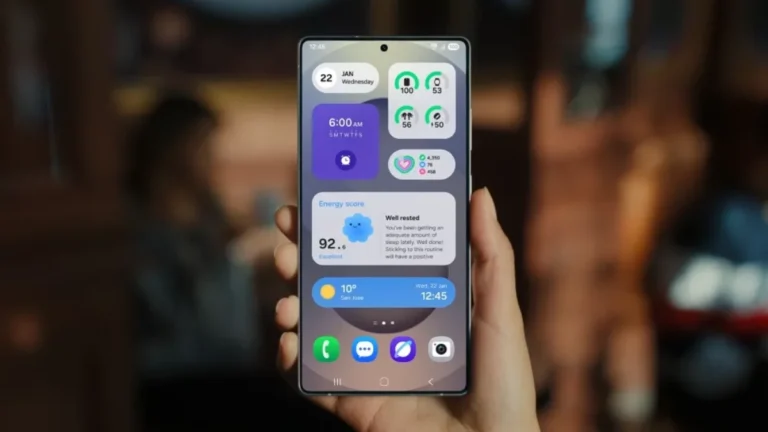
- Super-sized Widgets: Widgets can now expand to four rows, giving you more at-a-glance info.
- Dynamic Lock Screen: Clock animations now adapt to your wallpaper using AI, making the lock screen more visually engaging.
Foldable-focused enhancements
Samsung has tuned One UI 8 for its foldables, especially the Galaxy Z Fold 7 and Flip 7:
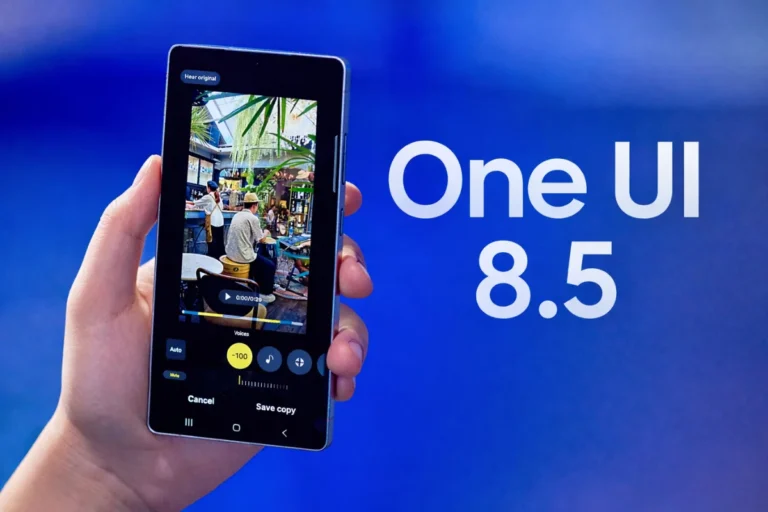
- Side-by-side editing with original view for AI-edited photos
- AI-generated content can be dragged and dropped in multi-window setups
- AI results view in Split View or Floating View
- Suggest Erases automatically identifies and lets you remove unwanted objects
App and UI improvements
- Quick Share: Redesigned with separate Send and Receive tabs
- Samsung Internet: Cleaner overflow menu and easier access to sharing and shortcuts
- Reminder app: New layout, voice input, shared lists, and smart suggestions
- Weather app: New translucent design and lifelike visuals
- Files app: Top-level categories and a new “recent files” preview row
Privacy and security upgrades
- KEEP (Knox Enhanced Encrypted Protection): Creates encrypted storage spaces for sensitive AI data
- Updated Knox Matrix: Adds auto sign-out from linked devices if suspicious activity is detected
- Secure Wi-Fi Upgrade: New cryptographic protections for safer public browsing
Accessibility and customization
- Better zoom and mouse control navigation
- Simpler Bluetooth pairing for hearing aids
- Expanded Good Lock support, including big updates to the Home Up module
Samsung is playing the long game with One UI 8, opting to refine and optimize instead of overhauling the experience. With AI playing a much bigger role and foldables getting more love than ever, the update sets a solid foundation for what’s next. If your device is on the eligible list, keep an eye out — the update could arrive sooner than you think.
Also read:
1. One UI 8 will be the last major upgrade for these Samsung devices
2. Samsung devices that will get One UI 8.5 update