Samsung is continuing its Android 16-based One UI 8 beta program for its newest foldables. After launching the first beta earlier this month, the company is now rolling out the second beta update for the Galaxy Z Fold 6 and Galaxy Z Flip 6, bringing much-needed improvements and new features.
One of the most important additions in this release is support for Now Brief — Samsung’s AI-powered briefing feature that first debuted on the Galaxy S25 series. Now Brief delivers intelligent summaries and personalized updates to your foldable’s cover or main screen, and its inclusion in this beta signals Samsung’s push to make AI features more widely available across devices.
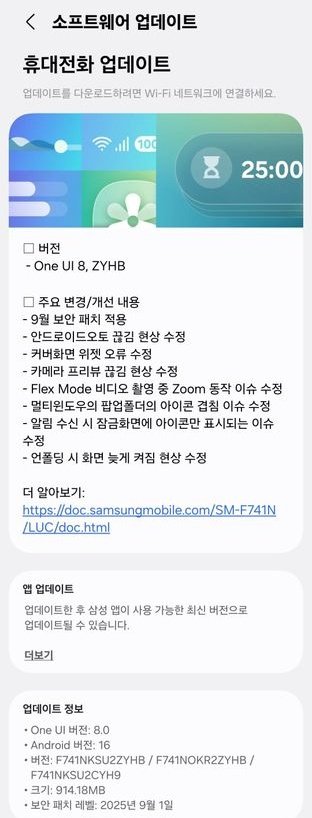
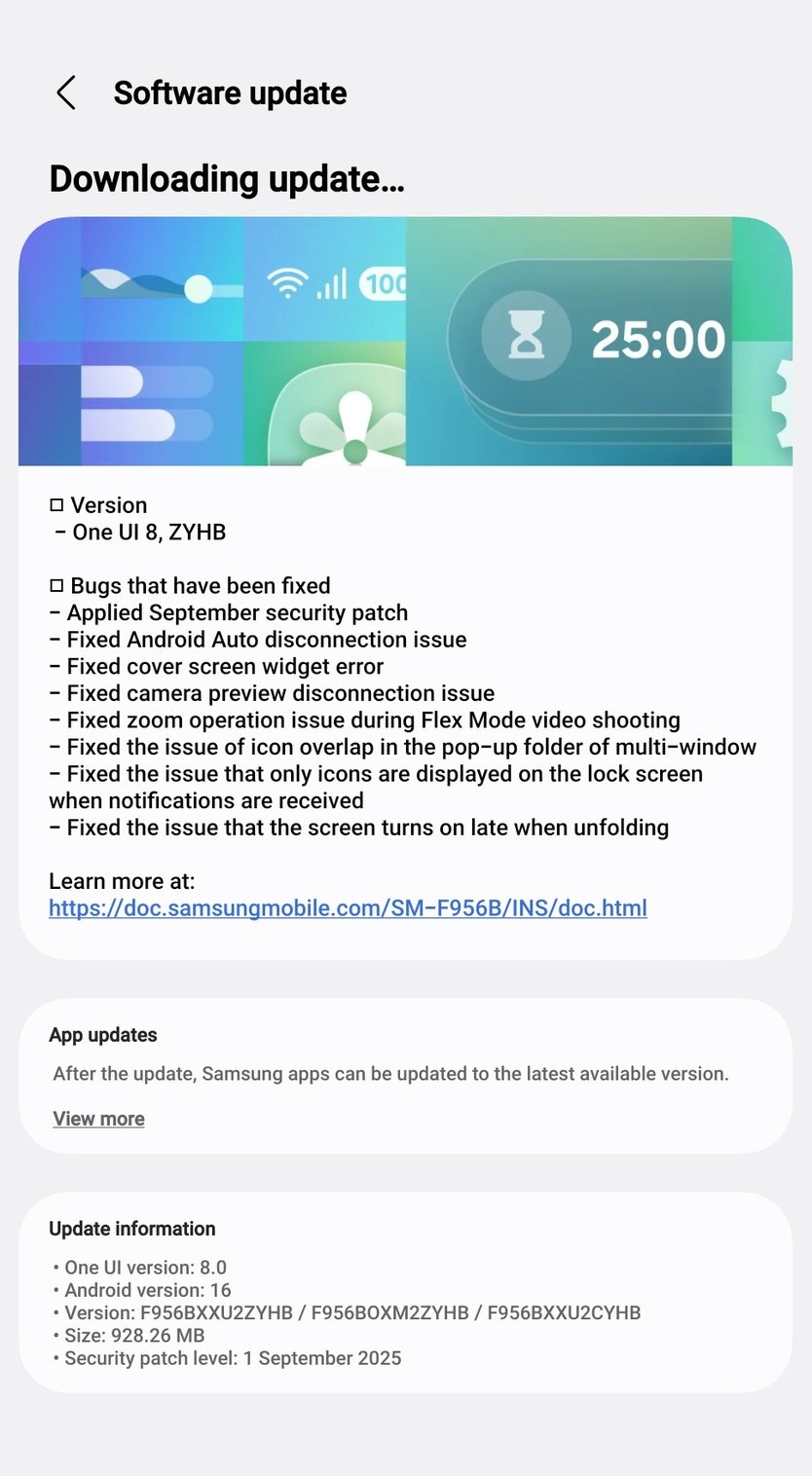
Along with this, the update includes the September 2025 security patch and a bunch of bug fixes that address real-world usability problems. From camera preview improvements to fixing annoying cover screen widget bugs, the update is focused on ironing out early issues and improving overall stability.
Related:
1. Here’s when Samsung will start rolling out stable One UI 8 update
2. One UI 8 will be the last major upgrade for these Samsung devices
Firmware version and rollout details
The second beta update for both devices comes with firmware version ZYHB and has a download size of just over 900MB. For now, the Galaxy Z Fold 6 and Galaxy Z Flip 6 are getting the update in South Korea and India, with a wider rollout to countries like the USA and UK expected shortly.
One UI 8 Beta 2 changelog for Galaxy Z Fold 6, Flip 6
- Applied September 2025 security patch
- Fixed issues causing disruptions with Android Auto
- Resolved cover screen widget errors
- Fixed bugs affecting camera preview functionality
- Addressed Flex Mode zoom behavior glitches during video recording
- Fixed overlapping issue with multi-window pop-up puller icon
- Resolved lock screen issue where only notification icons appeared
- Fixed screen wake delay when unfolding the device
If you haven’t joined the beta program yet, you can do so via the Samsung Members app. Just log in, tap the One UI 8 banner, enroll your device, and check for the update in Settings > Software update > Download and install.